Breakdance QuickNav
About
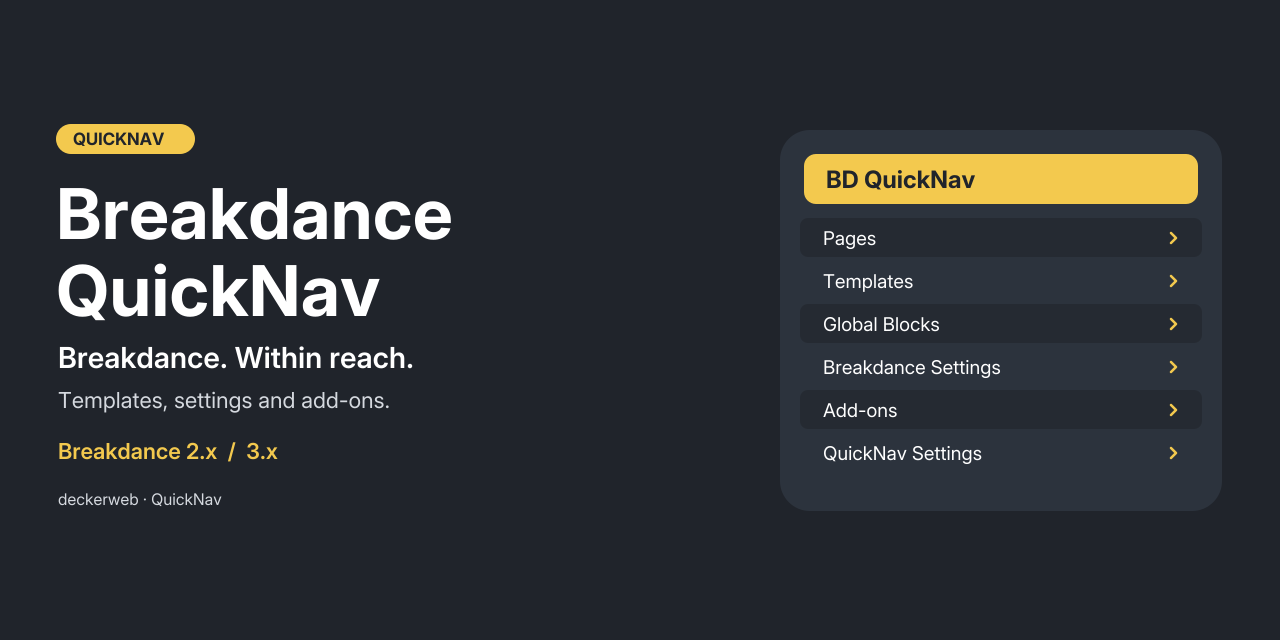
Quick access to Breakdance pages, templates, headers, footers, global blocks, popups, settings and supported addons from the WordPress toolbar.
Version: 2.1.0. Requirements: WordPress 6.7+, PHP 8.1+. Supports Breakdance 2.x and 3.x; tested packages: 2.8.3 and 3.0.0 RC1. QuickNav does not require a license.
Contents: About · At a Glance · Installation · Features · FAQ · Changelog · Project & Support
At a Glance
- Content shortcuts; By default, show up to 20 recently modified Breakdance pages and items in each template group. Select public custom post types, alphabetical sorting or editable unpublished items in Breakdance → QuickNav (without an active builder: Settings → Breakdance QuickNav).
- Website and personal settings; Set toolbar label, icon, visible menu groups, backend/frontend display and eligible users. Profile preferences apply to this website only and cannot bypass website or builder permissions. Four accessible sections share one form with a fixed save bar and unsaved-change protection.
- Breakdance settings and addons; Registered settings tabs, existing addon integrations and verified shortcuts for SiteCare, Jooosi Fon, Elements Hive, Express Add On and BreakColorUI Sync. Control individual integrations and optional submenus in QuickNav settings. Addons without separate admin pages remain diagnostic entries. Addons are collected in one menu, with individual promotion and retained child pages. Elements Hive Pro is verified; Destiny/Dancepad navigation is checked against source-derived contracts; full licensed runtime operation is unverified.
- Resources and legacy configuration; Preserve every existing Links/About destination and all six BDQN constants. Defined constants override saved settings. An explicitly empty BDQN_ENABLED_USERS array denies all users.
- Updates and discovery; Bundled deckerweb Updater 2.2.1 offers stable GitHub release updates. Library 1.1.0 adds optional plugin discovery. Online catalog access is off by default. No telemetry.
- Safe lifecycle and native editors; QuickNav pauses when Breakdance is unavailable. Settings stay accessible. Deactivation retains data; uninstall follows each website’s deletion choice. WordPress controls editor toolbar visibility.
- Clear diagnostics; Systeminfo and the Site Health information report show navigation status, addon availability and menu layout. No user IDs, license details or external diagnostic requests.
Installation
- Upload the provided breakdance-quicknav-2.1.0.zip under Plugins → Add New → Upload Plugin. Back up your website before upgrading.
- Activate QuickNav. Open Breakdance → QuickNav (without an active builder: Settings → Breakdance QuickNav); activate a supported Breakdance version to enable toolbar navigation.
- Set personal visibility and item count under Users → Profile. Existing BDQN constants remain authoritative.
Features
Content shortcuts
By default, show up to 20 recently modified Breakdance pages and items in each template group. Select public custom post types, alphabetical sorting or editable unpublished items in Breakdance → QuickNav (without an active builder: Settings → Breakdance QuickNav).
Website and personal settings
Set toolbar label, icon, visible menu groups, backend/frontend display and eligible users. Profile preferences apply to this website only and cannot bypass website or builder permissions. Four accessible sections share one form with a fixed save bar and unsaved-change protection.
Breakdance settings and addons
Registered settings tabs, existing addon integrations and verified shortcuts for SiteCare, Jooosi Fon, Elements Hive, Express Add On and BreakColorUI Sync. Control individual integrations and optional submenus in QuickNav settings. Addons without separate admin pages remain diagnostic entries. Addons are collected in one menu, with individual promotion and retained child pages. Elements Hive Pro is verified; Destiny/Dancepad navigation is checked against source-derived contracts; full licensed runtime operation is unverified.
Resources and legacy configuration
Preserve every existing Links/About destination and all six BDQN constants. Defined constants override saved settings. An explicitly empty BDQN_ENABLED_USERS array denies all users.
Updates and discovery
Bundled deckerweb Updater 2.2.1 offers stable GitHub release updates. Library 1.1.0 adds optional plugin discovery. Online catalog access is off by default. No telemetry.
Safe lifecycle and native editors
QuickNav pauses when Breakdance is unavailable. Settings stay accessible. Deactivation retains data; uninstall follows each website’s deletion choice. WordPress controls editor toolbar visibility.
Clear diagnostics
Systeminfo and the Site Health information report show navigation status, addon availability and menu layout. No user IDs, license details or external diagnostic requests.
FAQ
Where are the settings?
Open Breakdance → QuickNav (without an active builder: Settings → Breakdance QuickNav) or use Settings beside Deactivate in the plugin list. Personal preferences are in your profile.
Why is QuickNav missing?
Check that Breakdance 2.x or 3.x is active in Breakdance mode, the WordPress toolbar is visible and your website/user visibility and permissions allow it. An active Breakdance Navigator suppresses duplicate QuickNav navigation.
Will existing constants still work?
Yes. BDQN_NAME_IN_ADMINBAR, BDQN_ICON, BDQN_NUMBER_TEMPLATES, BDQN_VIEW_CAPABILITY, BDQN_ENABLED_USERS and BDQN_DISABLE_FOOTER override saved defaults. Empty legacy user allowlists still deny everyone.
Can editors see drafts?
Only when unpublished content is enabled and the user has both WordPress object-edit rights and Breakdance edit permission. Setting a lower toolbar capability never grants builder access.
Which addons are supported?
Existing integrations remain, with verified navigation for the supplied packages and freely available SiteCare, Jooosi Fon, Elements Hive, Express Add On and BreakColorUI Sync. Full runtime tests for other premium packages and WPML dependencies are not available. See docs/ADDONS.md.
Does it support Multisite?
Website and network activation are supported. Website settings and personal preferences remain site-scoped. No cross-site toolbar is created. Shared Library data is protected while another host remains installed.
What happens on uninstall?
Settings and preferences are retained by default. The deletion option removes only this website’s QuickNav data; network uninstall applies each website’s choice. Breakdance content remains.
Changelog
2.1.0 · October 22, 2026
- New: Site Health information now explains navigation availability, addon status and menu layout.
- Improved: Updated GitHub updates and plugin discovery with deckerweb Updater 2.2.1 and Library 1.1.0.
- Fixed: More resilient local changelog dialog and cached form navigation with automatic invalidation.
- Misc: PHP 8.1 or later is required. Existing settings and integrations are retained.
2.0.0 · October 8, 2026
- Improved: Four accessible settings sections, a fixed save bar and unsaved-change protection with a shared native form.
- Improved: Collect addon shortcuts in one menu; optionally promote individual addons with their submenus. Group installed, missing and pending integrations.
- New: Elements Hive Pro navigation with License and Tools. Source-based Destiny Elements and Dancepad adapters; their supplied packages are not certified by runtime testing.
- New: Website controls for individual addon integrations, availability explanations and optional addon submenus.
- New: Navigation for SiteCare Builder Tools, Elements Hive, Express Add On and BreakColorUI Sync.
- Fixed: Recognize Jooosi Fon and use its current admin destination while retaining legacy Yabe Webfont support.
- Improved: Existing integrations remain supported. Addon links respect permissions, loaded modules and website preferences; unverified packages never create guessed links.
- New: Website settings and personal toolbar preferences.
- Improved: Navigation supports Breakdance 2.x and 3.x, with registered settings tabs and authorized destinations.
- Fixed: WooCommerce and WPSix Exporter links, query/settings filters and builder URLs.
- Improved: Existing resource links, configuration constants and addon integrations remain available.
- New: deckerweb Updater 2.1.0 and Library 0.8.1, with German informal and formal translations.
- Misc: WordPress controls editor toolbar visibility; QuickNav no longer changes the editor layout or removes the WordPress logo.
- Misc: Plugin settings are retained unless removal was explicitly enabled. The optional snippet has navigation only.
- New: Per-form shortcuts beneath Form Submissions for forms with stored submissions.
- Improved: QuickNav settings appear beneath Breakdance when a supported builder is active; otherwise beneath WordPress Settings.
- Fixed: Show the save confirmation exactly once, below the complete settings header.
- Improved: Content shortcuts are grouped by published and unpublished status; unpublished items display their specific status.
- Improved: Detected components describe display settings as Enabled or Disabled instead of technical numeric flags.
- Fixed: Avoid a focus outline around the entire settings panel after saving; retain visible keyboard focus on controls.
1.1.0 · April 7, 2025 · Repository version
- New: Configurable item count, user ID restrictions, editor toolbar visibility, Site Health information and Reading Time Calculator support.
- Improved: German translations, Git Updater support and plugin-list links.
1.0.0 · March 8, 2025
- New: Initial release with Breakdance templates, pages, resources and addon shortcuts, including AI, Migration Mode, Yabe Webfont and WPSix Exporter.
Project & Support
David Decker – DECKERWEB. QuickNav.
Issues · Security · Ko-fi · Buy Me a Coffee · PayPal
This plugin originated as a fork of Breakdance Navigator, Peter Kulcsár, © 2024, GPL v2 or later.
Copyright © 2025–2026 David Decker – DECKERWEB. GPL v2 or later. The existing Breakdance logo belongs to Soflyy. The navigation symbol is original vector artwork. deckerweb Updater 2.2.1 and Library 1.1.0: © 2026 David Decker – DECKERWEB, GPL-2.0-or-later.
Legacy graphics contained Remix Icon symbols, © Remix Icon. The current artwork is original vector artwork.
The settings interface and host integration reuse GPL-2.0-or-later code from Oxygen QuickNav 2.0.0, © 2025–2026 David Decker – DECKERWEB.
Current artwork typeface: Inter, SIL Open Font License 1.1; lettering converted to paths. License.