Download GlotPress translations with names that are easier to recognize and prepare for their destination. Choose a project name, keep the exported language and distinguish informal, formal or other translation sets. The translation itself stays unchanged.
Version 2.0.0 · WordPress 6.4+ · PHP 8.1+ · GlotPress 4.0+ with a permalink structure other than Plain for export features.
GitHub · Wiki · Downloads & Releases
GlotPress names downloads from its project structure. That name is not always the name needed when using the translation elsewhere. GP Project Export Name lets the project name, language code and language variant determine the download name, so less manual renaming is needed.
Example: a plugin translation for WordPress
- Typical GlotPress download:
my-plugin-stable-de.po - With a project name chosen here:
my-plugin-de_DE.po
Example for the project my-plugin/stable, with my-plugin chosen as its project name and the recommended pattern. The language comes from the exported translation, not from your WordPress account language.
-
Start with the recommended pattern
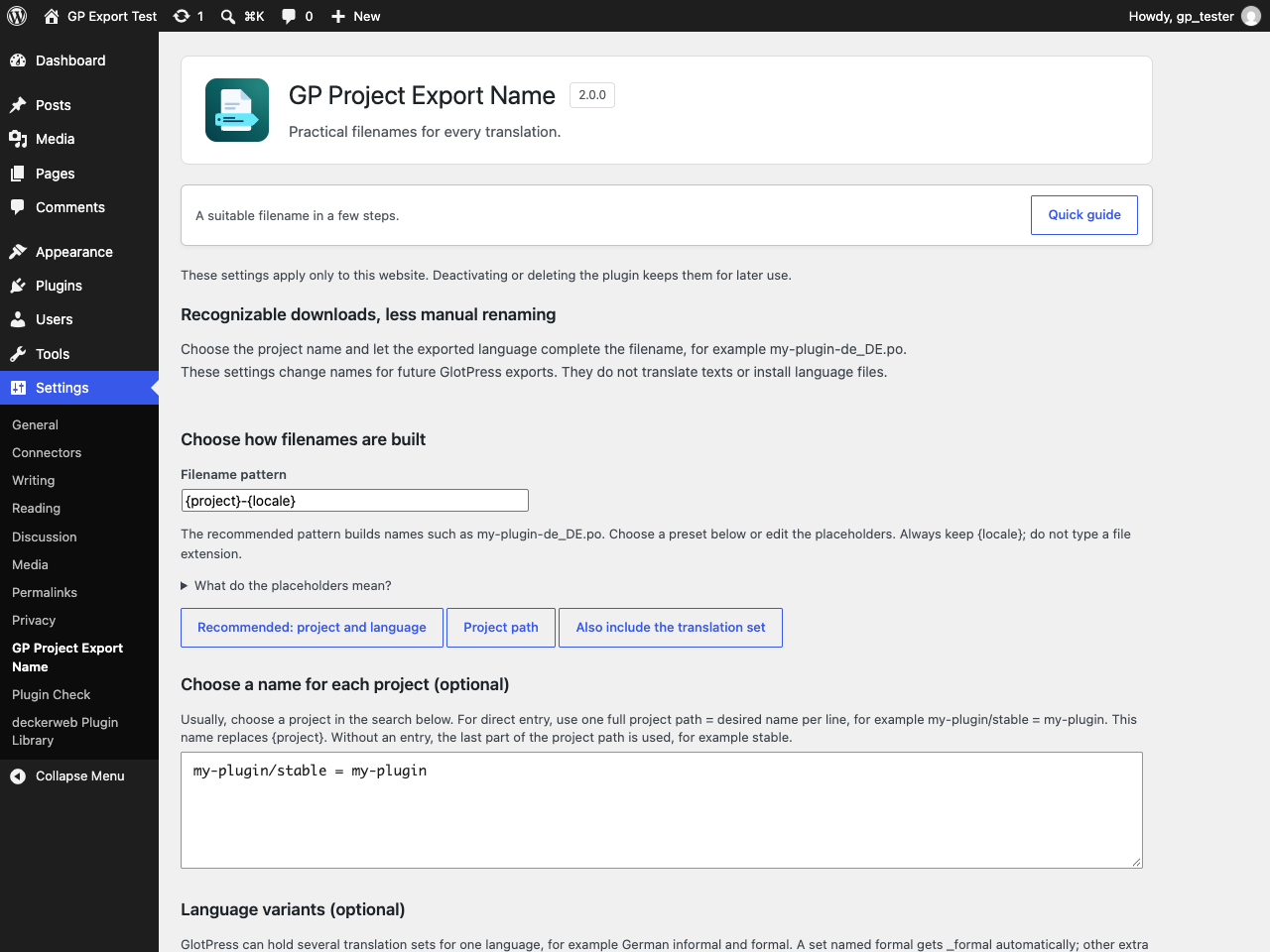
With GlotPress active, the plugin already uses the project’s last path component and the exported language. Keep Recommended: project and language unless a different structure is needed. For a project ending in stable, the name starts with stable until a project name is chosen in step 2.
-
Choose the project name, if needed
Under Find projects and choose their filenames, search by project name or path. In Project name in filenames, enter the desired name without a language code or extension, for example my-plugin. Choose Apply this name to the draft. For a WordPress plugin, use its actual text domain: the identifier that plugin uses for translations. If unsure, check that plugin’s documentation.
-
Check the filename before saving
In the project’s result row, choose Preview. All its translation sets are listed, including language variants. German normally uses de_DE; a German set named formal automatically uses de_DE_formal. The preview explains how each name is built and does not save or download anything.
-
Save the chosen rules
Choose Save Changes to apply the draft to future downloads on this website. The preview alone does not activate edits. If another naming plugin is detected, check Which plugin names the files? and deliberately select whose rules should apply.
-
Export as usual in GlotPress
Open the translation set in GlotPress and use its normal export link. Choose the required format there. PO is usually for editing translations; MO is a compiled format used by WordPress. The chosen format supplies .po, .mo or another extension. This settings page does not download translations.
A suitable filename does not install or activate a translation. The destination application still needs the correct file format, language code and location.
Only when needed: Custom language codes, alternative patterns, backups and resets are optional. Normally, the recommended pattern, a project name and a preview are enough. If a –set- number appears, two names would otherwise be identical within the project; the number keeps those translation sets distinct.
© 2016–2026 David Decker – DECKERWEB. Plugin: GPL v2 or later.